AI Sales Assistant That Works Where Your Records Already Are
Draft the email, recap the deal, and pull the document into fields without leaving the record it belongs to. KudosCRM gives you an AI sales assistant with an email composer that reads the thread, record summaries built from real history, document extraction into structured fields, and AI steps inside your workflows. No pasting context into a separate tool, and nothing sent without your approval.
The Short Version
What is an AI Sales Assistant?
An AI sales assistant does the writing and the reading-up that sits around selling. It drafts the email, recaps the record before a call, and pulls details out of a document so nobody retypes them.
In KudosCRM, that assistant lives on the record. Kudos AI reads the deal, the thread, the notes, and the activity already in your account, so a draft matches the conversation it belongs to and a summary describes what actually happened on that account.
The Problem
You Paste the Context In Yourself, and Nobody Knows What the AI Wrote
Most AI tools start with an empty box. You copy the thread across, add the deal details from memory, and hope you included the part that mattered. What comes back is unlabeled, unlogged, and indistinguishable from something a colleague wrote.
- ✕Copying context into a separate tool takes as long as writing did
- ✕AI output that nobody downstream can tell apart from a person's
- ✕Scores and predictions with no reasoning anyone can explain
How KudosCRM Handles It
The Assistant Reads the Record First, Then Waits for You
Kudos AI works from the deals, emails, notes, and activity already in your account. Every output is labeled, every call is logged, and nothing reaches a customer or a field until a person approves it.
- ✓Drafts, summaries, and extractions built from your own records
- ✓Every output labeled as AI, wherever it appears
- ✓Nothing sends, saves, or changes on its own
The Loop
From a Blank Box to a Sent Email in Four Steps
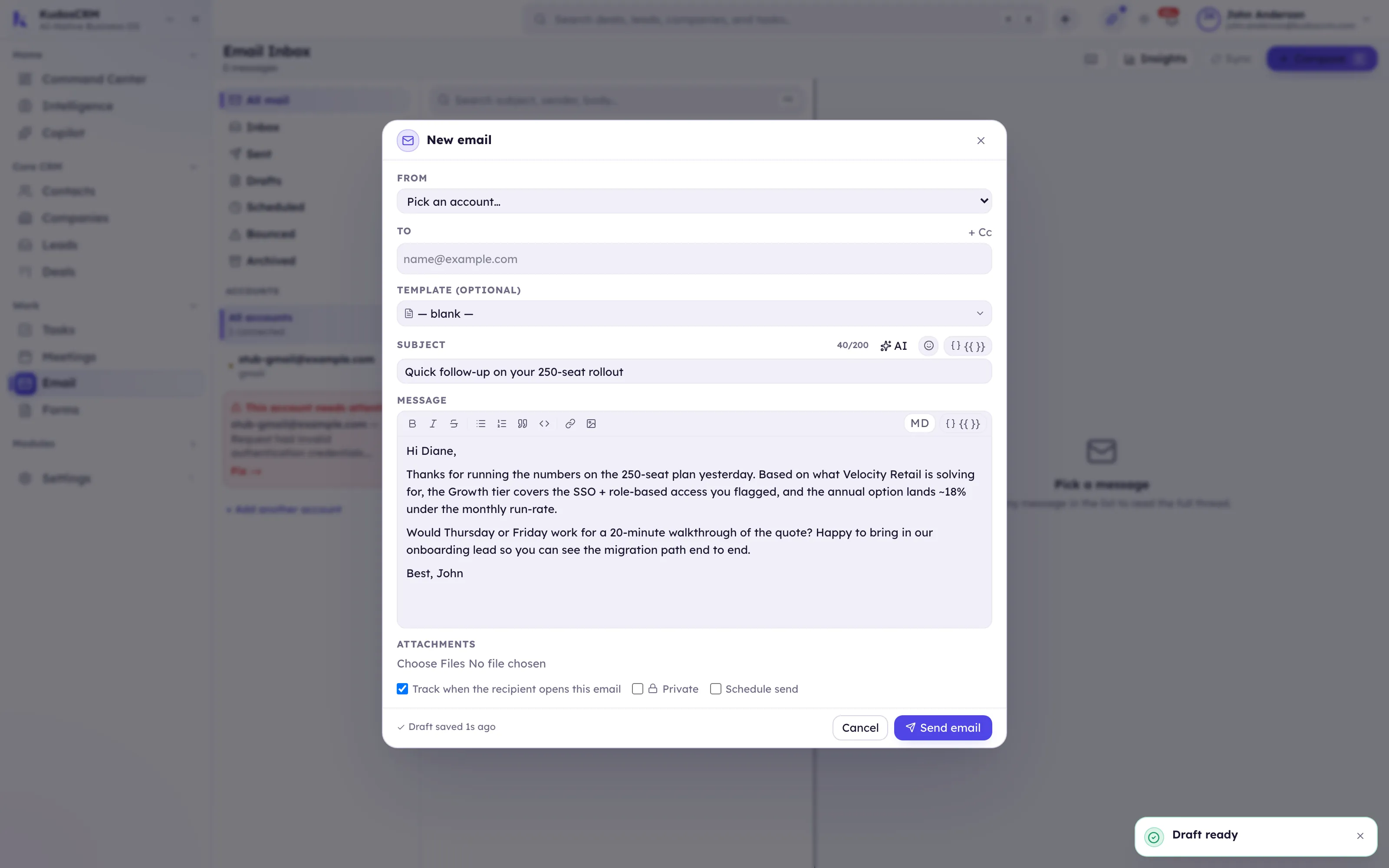
You ask on the record, read the labeled draft, edit it to suit you, then send it yourself. AI works best as a step inside the work, not a tab you switch to.
Step 1
Ask on the record
Open the composer on a deal or contact and ask for a draft. The thread and the deal are already there.
Step 2
Read what came back
The draft arrives labeled as AI, built from the conversation rather than a general guess about deals like this one.
Step 3
Change it to suit you
Rewrite a paragraph, shorten it, change the tone, or translate it. It is your draft to edit.
Step 4
Send it yourself
Approval is a separate, human action. Nothing leaves the system until you press send.
Inside the AI System
Writing, Reading, Extracting, and Working Inside Your Workflows
An assistant is only useful if it reaches the same records the work lives on. KudosCRM keeps drafting, summarizing, extraction, and AI workflow steps on your actual deals and projects, so using AI never means moving your data somewhere else first.
The email assistant
Draft a new email from the thread and the deal behind it, or reply in context. Rewrite an existing draft, change the tone, translate before you send, and get subject-line suggestions. Nine composer actions, all reading the thread you are standing in.
EmailRecord summaries
Open a deal or contact and get a plain-language recap built from its notes, emails, and activity. It reflects what happened on that account rather than a general observation, so a pre-call check is a read instead of a scroll.
Contacts & Company 360Document extraction
Hand Kudos AI a document or pasted text and it pulls the details into structured fields on the record. The information lands where you can filter and report on it, instead of sitting inside an attachment nobody opens.
Forms & documentsThe AI form builder
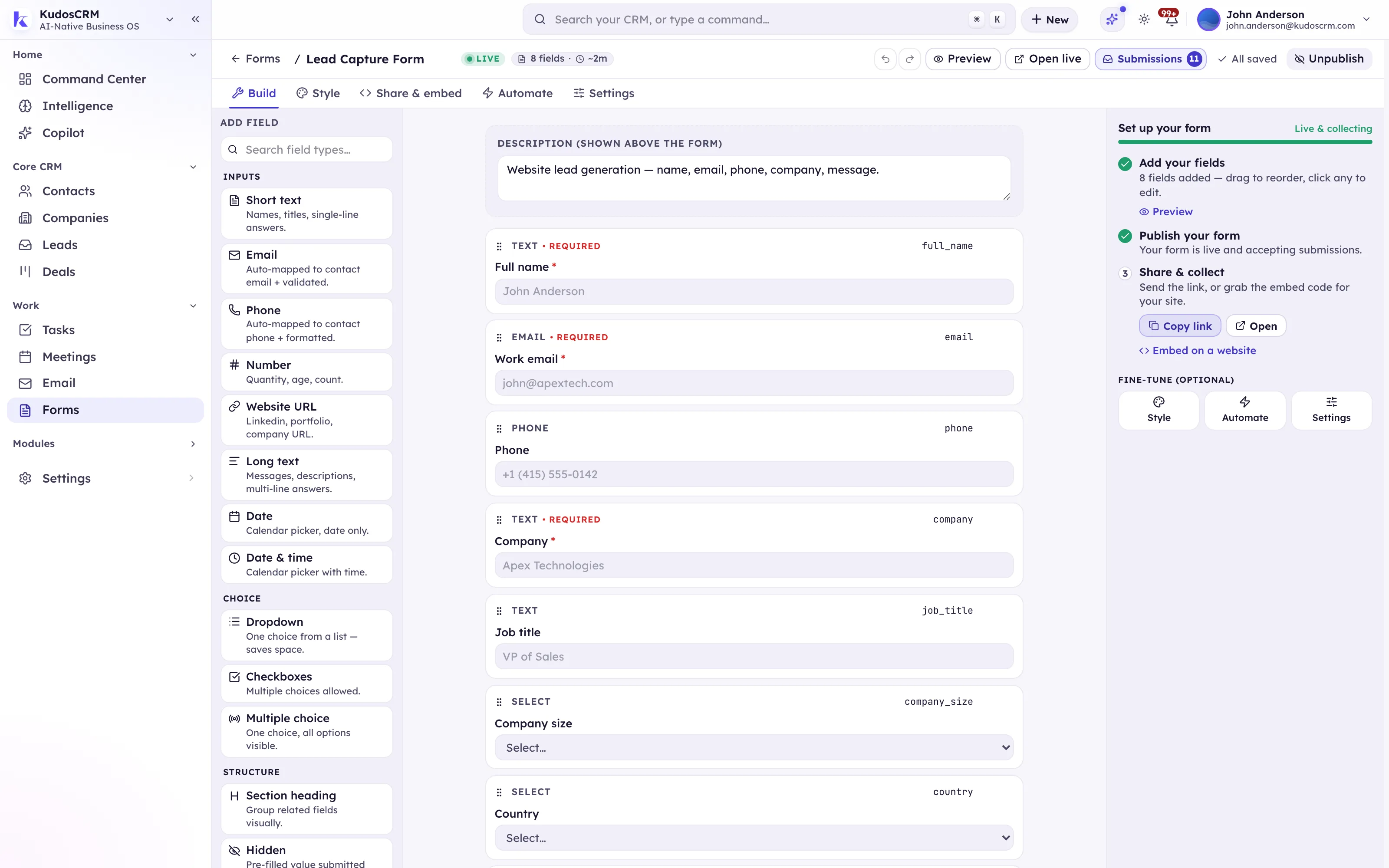
Describe the form you want in a sentence and Kudos AI drafts the fields. From there it is an ordinary form: drag and drop the layout, add conditional logic, set validation, and style it. You get a starting point, not a locked result.
FormsCopy for the email builder
Inside the drag-and-drop builder, describe a section and Kudos AI writes the block, proposes matched subject and preheader pairs, and shifts a block's tone without you rewriting it by hand. The MJML stays responsive and Outlook-safe.
Email builderAI steps inside automation
Add an AI action to any workflow to summarize a record, draft an email, or classify free text, then branch the flow on the result. Next best action runs as a step too, and the Ops AI Standup writes a daily digest over a read-only snapshot of your records.
Workflows & automationsSmaller assists that add up
Tag suggestions for a record, based on what is already on it, so segmentation stays consistent across a team instead of drifting into forty near-duplicate labels.
TaggingGrounded and governed
Every output is labeled as AI. Nothing sends, saves, or changes without a person approving it. Usage is logged per workspace against credits and quota guards. Your records are read to do the work in front of the assistant, and are never used to train a model.
Trust & securityGo Deeper
Related features
What Changes Once Kudos AI Is On?
The blank box disappears, catching up takes a minute, documents stop being dead ends, and you still decide everything. Four things stop being manual the moment the assistant has your records.
The blank box disappears
Every draft starts from the thread and the deal, so the first version is already close instead of already generic.
Catching up takes a minute
A summary replaces scrolling months of history before a call, built from the notes and activity on that record.
Documents stop being dead ends
Details from a contract or a form land in fields you can filter and report on, rather than staying inside a PDF.
You still decide everything
Labeled output, logged usage, and human approval mean adopting AI does not mean losing track of what it did.
What's Actually in the Box
Everything Kudos AI Gives You Today
Live today, unless marked Soon — roadmap items are shown honestly rather than hidden.
In the email composer
Draft a new email from the thread and the deal behind it
Reply in context
Rewrite or improve an existing draft
Change the tone
Translate
Subject-line suggestions
Summarize a long thread into a TL;DR with action items
In the email builder
Generate a content block from a description
Matched subject and preheader pairs
Tone adjustment on a block or a whole body
On records
Summarize a deal or contact from its notes, emails, and activity
Suggest tags for a record
Suggest subtasks to break down a task Soon
Documents and forms
Extract a document or pasted text into structured fields
Build a form from a written description
Drag-and-drop editing, conditional logic, validation, and styling on the result
In workflows
AI steps: summarize, draft an email, classify free text
Next best action as a workflow step
Branch the flow on whatever the AI step returns
Ops AI Standup, a daily digest over a read-only snapshot
Control and governance
Every output labeled as AI
Human approval before anything sends, saves, or changes
Per-workspace usage logging, credits, and quota guards
Server-side prompts, with PII redaction on email threads before they are sent
Your records are never used to train a model
Conversational copilot chat Soon
Predictive win-probability, deal-risk, and next-best-action scoring Soon
On the Roadmap
What's Coming to Kudos AI
We would rather show you the roadmap than fake a screenshot. These are in progress, not live. Ask us where they stand if one is a deciding factor.
A conversational copilot
Today Kudos AI works in a specific place: the composer, the record, the form builder, a workflow step. A copilot you can ask open questions across the whole business is being built, and until it ships you will not find a screenshot of it here.
Predictive scoring
Win probability, deal risk, and scored next best actions are in development. Today the forecast weights each deal by its stage probability, which is a number anyone can explain in a review. A learned model on top of that is next, and we will not call it live until it is.
Subtask suggestions
Breaking a task that is too big to start into a starter checklist. The prompt is written and the endpoint is in the build; it is not switched on for customers yet.
See It in the Product
From the Composer to the Record
Draft a reply in the composer
Ask for a draft and review it before it goes anywhere. Change the tone, translate it, or rewrite a paragraph. The draft is labeled as AI and stays yours to edit.
Recap the record before the call
On any contact or deal, read the summary built from its notes, emails, and activity, next to the engagement signals the CRM already computes, so a pre-call check takes a minute rather than a scroll.

Describe a form, or drop in a document
Type what the form should collect and Kudos AI drafts the fields, then adjust the layout, logic, and validation by hand. Drop in a document and the details land in fields on the record.
AI Sales Assistant for Every Industry
The writing around a sale looks different in every industry, and the reading-up looks the same everywhere: what happened on this account, and what do I say next. Kudos AI answers both from the record in front of you.
AI That Works on the Conversations You Already Have
Connect Gmail or Outlook and your threads land on the record, which is exactly what the assistant reads before it drafts. Calendar and Zoom put the meetings on the same timeline, Slack carries what a workflow's AI step decided, and none of it needs you to copy context into another tab.
See All Integrations






FAQ
Frequently Asked Questions
Let the Assistant Do the Reading-Up
Draft, Summarize, and Extract, Grounded in Your Real CRM
Every output labeled, every call logged, and nothing sent until you say so. Start free, bring your whole team, cancel any time.